Rogue ScreenConnect Clients That Infect the Technician: The Worm-Like Campaign Behind CVE-2026-84869
A social-engineering lure plants a modified remote-support client, and any technician who connects to help can receive the same four-stage VBScript chain
Date: September 3, 2026 Primary Source: Huntress · ConnectWise
Executive Summary
- What: Huntress investigated rogue, modified ConnectWise ScreenConnect clients planted through social engineering. They run a four-stage VBScript chain (
1.vbsthrough4.vbs) that profiles the machine, downloads encrypted payloads, and installs a hidden ScreenConnect backdoor, a tunneler, and a cryptocurrency miner. When a ScreenConnect Host (the technician side of a session) connects to an infected client, it can receive and run the same chain, which is why Huntress calls the activity worm-like. (Huntress) (The Hacker News) - Who is affected: Anyone running ScreenConnect clients below 26.6.5, cloud or on-premises. That especially means MSPs and internal help desks whose technicians connect to end-user machines every day. ConnectWise says ScreenConnect servers are not affected. (ConnectWise)
- Severity: Critical. ConnectWise tracks the client-side flaw as CVE-2026-84869, CVSS 9.9, and fixed it on September 8, 2026. CISA added it to the Known Exploited Vulnerabilities (KEV) catalog on September 11. (ConnectWise) (CISA)
- Action required: Upgrade to ScreenConnect 26.6.5, then reinstall Host clients and update Access agents. If you can't upgrade yet, remove the TransferFiles permission from every role. (ConnectWise)
- The honest scope note: White Cloud Security doesn't stop the phone call, the phishing email, or the fake refund form that starts this campaign. It also won't block a legitimate ScreenConnect binary you've approved from being misused. What it governs is whether the unapproved VBScripts, dropped executables, miner, and second remote-access tool that follow are permitted to run, on the victim's machine and on the technician's.
Overview
Huntress's Security Operations Center saw the same unusual pattern across several unrelated customer environments in late August 2026, with two incidents on August 20 and a third on August 24. In each case, rogue ScreenConnect clients repeatedly launched wscript.exe to run four numbered VBScript files. (Huntress) Huntress published its analysis and updated it on September 3 and September 8. IT Security Guru covered it on September 3, and SecurityWeek, The Hacker News, and Help Net Security followed on September 7. (IT Security Guru) (SecurityWeek) (Help Net Security)
The three incidents started three different ways, all of them social engineering: a Quick Assist tech-support scam, a phishing-delivered MSI installer (ScreenConnect.ClientSetup.msi, downloaded through Microsoft Edge), and a victim who searched for a Geek Squad refund form and was tricked into downloading a rogue client. (Huntress) (The Hacker News)
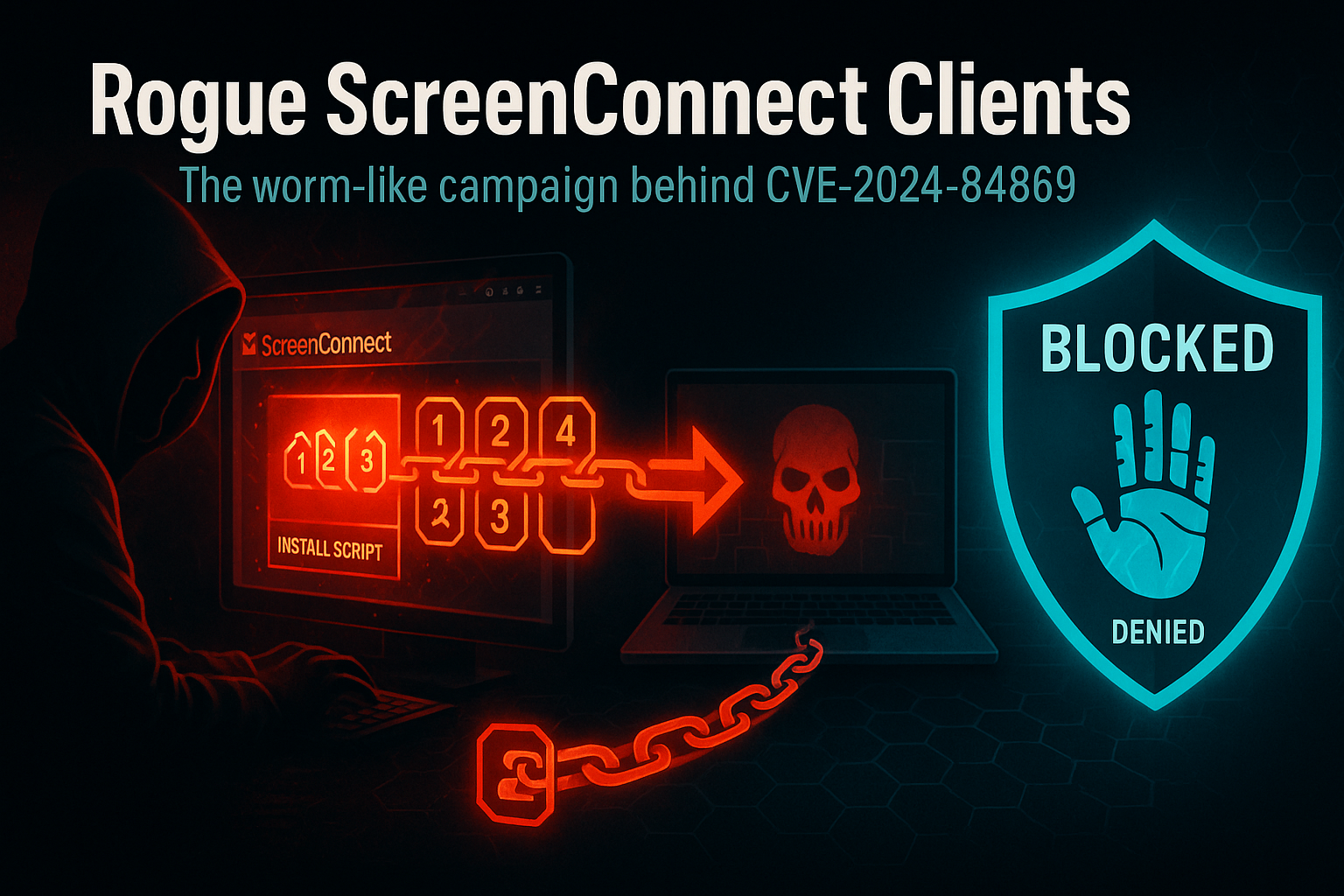
The unusual part came after that. Huntress found that the modified client watches for newly connected ScreenConnect Host sessions and pushes the four scripts to them as a file transfer with the action set to Run. A technician who connects to help an infected user can end up running the attacker's chain on their own workstation. ConnectWise confirmed a client-side authorization flaw behind that behavior, assigned it CVE-2026-84869, and shipped a fix on September 8. (Huntress) (ConnectWise)
Threat Summary
| Field | Detail |
|---|---|
| CVE ID | CVE-2026-84869 |
| CVSS Score | 9.9 (CVSS:3.1/AV:N/AC:L/PR:L/UI:N/S:C/C:H/I:H/A:H) (ConnectWise) |
| Weakness | CWE-862 (Missing Authorization), CWE-269 (Improper Privilege Management) (ConnectWise) |
| Affected products | ScreenConnect clients prior to 26.6.5, cloud and on-premises; servers not affected (ConnectWise) |
| Attack vector | Initial access by social engineering; spread over active ScreenConnect sessions |
| Exploited in the wild | Yes. Huntress reports activity since August 20, 2026; added to CISA KEV September 11, 2026 (SecurityWeek) (CISA) |
| Patch available | Yes. ScreenConnect 26.6.5, released September 8, 2026. On-premises servers must be on 25.4 or later to upgrade (ConnectWise) |
| Payloads | Hidden ScreenConnect backdoor, UAC-bypass and persistence tooling, wstunnel tunneler, XMRig miner, WinRing0 driver (Huntress) |
| Attribution | None published |
Technical Analysis
How the Attack Works
- Social-engineering entry (T1566, Phishing; T1219, Remote Access Software). The victim is talked or tricked into running a rogue ScreenConnect client, through a Quick Assist session, a phishing MSI, or a fake Geek Squad refund page. (Huntress)
- Stage 1,
1.vbs: profile the host (T1059.005, Visual Basic; T1518.001, Security Software Discovery). The script aborts if ScreenConnect is already installed. It checks installed RAM against a 5 GB threshold to spot virtual machines, and it looks for security products including Huntress, CrowdStrike, SentinelOne, Sophos, Malwarebytes, Cisco AMP, and Symantec. It writes a three-bit "state" value to%TEMP%\value.txt. (Huntress) (The Hacker News) - Stage 2,
2.vbs: fetch the map. It downloads a Base64-encoded, XOR-obfuscated mapping file from Dropbox to%TEMP%\map.txt. The file holds AES keys and the URLs of the staged payloads. (Huntress) - Stage 3,
3.vbs: fetch the payload that matches the state. State000or001getsuser.enc, a user-level ScreenConnect backdoor. State010getsacc.enc, persistence and privilege-escalation tools. State011getscombo.enc, tunneling utilities and a cryptocurrency miner. (Huntress) - Stage 4,
4.vbs: decrypt and run (T1140; T1059.001, PowerShell). It decrypts the payload with AES-CBC, runs it as a PowerShell runner (%TEMP%\runner.ps1), and deletes the staging files. (Huntress) - Privilege escalation and defense evasion (
010branch). A script namedPyTorchFix.ps1compilesPassword.exefrom inline C#. It hijacks thems-settings:protocol handler and usesComputerDefaults.exeto bypass UAC (T1548.002). It disables AMSI, addsC:\Usersto Microsoft Defender exclusions (T1562.001), installs a concealed ScreenConnect client, and removes its Uninstall registry entry. (Huntress) - Persistence (T1547.001). A Run key named
WindowsServiceHostunderHKCUpoints toWindowsServiceHost.vbsin the user's AppData directory. (Huntress) - Worm-like spread to the technician. The modified client monitors ScreenConnect's session connections. When a new Host connects, it reads
1.vbs–4.vbsfromC:\Users\Public\Libraries\Default\Lib\Lib1, packages them as file-transfer messages with the action set to Run, and queues them to that Host. It records the connection so it doesn't reinfect during the same session, then clears the record on disconnect so the next connection gets infected again. (Huntress) CVE-2026-84869 is the flaw that let those transfers "be transferred and executed through an active remote session without authorization or Host confirmation in certain circumstances." (ConnectWise)
Payload and Impact
The 011 branch drops Themes.exe, a disguised copy of the wstunnel tunneling utility that connects to homehub.opik[.]net:443. It also drops SearchIndex.exe, a renamed XMRig miner, and svcdrv64.sys, a vulnerable WinRing0 driver that gives the miner kernel-level hardware access. It turns off Defender reporting and notifications and disables HVCI. In one of the August 20 incidents, the attackers also installed UltraViewer, a second remote-desktop tool. (Huntress) (SecurityWeek)
Mining is the visible payload, but it isn't the main risk. Each infected machine gets a hidden remote-access backdoor, a tunnel out of the network, and Defender exclusions. For an MSP, the biggest concern is where the chain lands next: on a technician workstation that holds sessions into many customer environments.
Why Traditional Defenses Struggle
- The delivery tool is legitimate remote-support software. ScreenConnect is widely used and often allow-listed by default. Its network traffic and processes look like ordinary support work.
- The chain checks for defenders first.
1.vbsenumerates security products and virtualization before anything else is downloaded, and the payloads are AES-encrypted at rest. (Huntress) - The Defender tampering is deliberate. The
010branch disables AMSI and excludesC:\Usersfrom scanning, and the011branch turns off Defender reporting and HVCI. (Huntress) A signature product that has been told to stop looking at the user profile won't find what's in it. - The spread rides on trust. The technician chose to connect, and the file transfer arrived over a session they opened. Before 26.6.5, the Host didn't have to confirm it. (ConnectWise)
- Detection is after the fact. Huntress caught the activity because
wscript.exerepeatedly spawned from ScreenConnect. That's a good detection, but it's still an alert about code that already ran.
How White Cloud Security Trust Lockdown Stops This
Least-Privilege Zero-Trust App Firewall
White Cloud Security (WCS) Trust Lockdown™ enforces Default-Deny Zero-Trust Application Control. Only applications, libraries, and scripts explicitly approved for an endpoint are permitted to execute. Here's how that maps to the chain above:
| Attack step | White Cloud Security control |
|---|---|
| 1. Quick Assist scam, phishing MSI, or fake Geek Squad refund form | Not covered. This is social engineering. User training, email filtering, and call-back verification apply. |
| 1a. Rogue ScreenConnect client installed by the victim | Denied unless approved. If the client's files don't match an approved handprint or an approved code-signing certificate, it doesn't run. If you approve ConnectWise's signing certificate broadly and the attacker uses an unaltered, signed binary pointed at their own server, the client would be permitted. See "To state the limit plainly" below. |
2–5. 1.vbs–4.vbs launched by wscript.exe |
Denied at execution. Trust Lockdown governs scripts as well as executables. Unapproved VBScript files in a temp or public folder don't get to run. |
5. runner.ps1 / PyTorchFix.ps1 written to disk |
Denied at execution. These are unapproved script files. |
6. Password.exe compiled from inline C# |
Denied at execution. A freshly compiled binary has no approved handprint. |
6. ComputerDefaults.exe UAC bypass, AMSI and Defender changes |
Partially covered. ComputerDefaults.exe is a legitimate Windows binary. The settings changes happen inside the attacker's script, which is denied in the steps above. |
7. WindowsServiceHost.vbs Run-key persistence |
Denied at execution. The Run key can still exist, but the unapproved script it points to doesn't run at logon. |
| 8. Scripts pushed to a connecting technician's Host machine | Denied at execution on WCS-protected hosts. The pushed .vbs files meet the technician's own default-deny policy. |
Payloads: Themes.exe (wstunnel), SearchIndex.exe (XMRig), UltraViewer |
Denied at execution. None is on an approved list. Renaming them doesn't help, because approval isn't based on names. |
svcdrv64.sys (WinRing0) |
Not reached through this chain. The driver is installed by scripts and executables that are denied first. Blocking vulnerable drivers is a separate job for Microsoft's vulnerable driver blocklist and HVCI. |
The technician row matters most for MSPs. Application control doesn't care that the file arrived over a session the technician opened, or that the technician is a local administrator. The only question it asks is whether the file about to run is approved for that machine.
Handprint Identity
White Cloud Security doesn't approve files by name or path, and this campaign depends on misleading names: SearchIndex.exe, Themes.exe, WindowsServiceHost.vbs, PyTorchFix.ps1. Files are identified by handprint: SHA-1, SHA-256, SHA-512, MD5, CRC32, and file length. A miner renamed to look like Windows Search still has a miner's handprint. A ScreenConnect client whose files were altered no longer matches the handprint of the build you approved.
For remote-support tools, how you write the policy matters. Trust Profiles built on administrator-approved code-signing certificates let legitimate updates through without re-approving every build. For software attackers like to abuse, such as remote-access tools, consider approving by the handprint of the specific builds your team deploys rather than by the vendor's certificate alone. You can also limit those tools to the machines that actually need them.
At White Cloud Security, we continue to track and report new hacking methods and tools — not just because of its immediate threat, but because patterns of reuse often expose the playbooks of these cybercriminal groups.
To state the limit plainly: White Cloud Security doesn't stop someone from being talked into installing remote-support software. It also doesn't stop misuse of a ScreenConnect binary you've approved. An attacker with a live session in an approved client can still see the screen, type, and use applications that are already approved. Application control doesn't replace patching to 26.6.5, removing the TransferFiles permission, MFA on your ScreenConnect instance, EDR, backups, or user training. It's the layer that decides whether the scripts, miners, tunnelers, and second remote-access tools that follow are permitted to run.
Recommended Mitigations
- Upgrade every ScreenConnect client to 26.6.5. Cloud instances were upgraded automatically. On-premises servers must be on 25.4 or later to upgrade. After upgrading, reinstall Host clients and update Access agents, as ConnectWise directs. (ConnectWise)
- If you can't upgrade today, go to Administration > Security > Roles and deselect TransferFiles for all roles. (ConnectWise)
- Review audit logs. Look for
RunFilesorRanFilesentries where scripts were run from "Process: Guest." (Huntress) (Help Net Security) - Inventory unexpected remote-access tools. Look for ScreenConnect instances that don't connect to your own server, and for UltraViewer or Quick Assist activity you can't explain.
- Reimage confirmed infections from known-good media. The chain changes Defender settings and installs hidden services, so cleaning in place isn't reliable. (Huntress)
- Check Defender exclusions and HVCI status on potentially affected machines. The chain adds
C:\Usersas an exclusion and disables HVCI. (Huntress) - Train staff and customers that legitimate support providers don't cold-call to start a Quick Assist session, and that refund forms don't require installing software.
- Enforce Default-Deny application control on end-user machines and technician workstations, so unapproved scripts, miners, and remote-access tools are denied at execution.
Indicators of Compromise
All indicators below are from Huntress's published analysis. (Huntress)
File hashes (SHA-256):
1.vbs:08bc4e82883eb42fc5219b206555b7a02a879860c76b4a12b2f82a64f6cc90202.vbs:de3b6836a88ae4b117e3b6de0e9cce3cd56a2b27b462d69e50c2fcac4089a457,19a3534da9f60c726be426ec5cc2b72c2d1254fefa0782bd2f08ef08117f32603.vbs:110fffc85370bb7cc60fa023447165c7e99175473d76bc5ffb2abecaa3a41d664.vbs:de89d560fc8302c778d88e3938327b240fa0db9a64fc1d5643067eedcbd2aedeWindowsServiceHost.vbs:ffd6d23f579571cc61936145791975da78b6ae914d780a9447a8f53c3688a0de
Network:
45.13.237[.]190(tele-sync.opik[.]net)131.123.40[.]98:8041146.59.55[.]10745.32.192[.]15015.204.185[.]204homehub.opik[.]net:443(wstunnel endpoint)borertors92.anondns[.]net
Host artifacts:
- Malicious ScreenConnect client ID
7a4d7d66502d4260 HKCU\Software\Microsoft\Windows\CurrentVersion\Run→WindowsServiceHostC:\Users\Public\Libraries\Default\Lib\Lib1\%TEMP%\value.txt,%TEMP%\map.txt,%TEMP%\out.enc,%TEMP%\out.tmp,%TEMP%\runner.ps1%APPDATA%\Microsoft\Windows\Templates\Classic\sys_cache.zipThemes.exe,SearchIndex.exe,svcdrv64.sys
Key Takeaways
- This campaign reverses the usual remote-support risk. The infected end user's client pushes a script chain to the technician who connects to help. (Huntress)
- CVE-2026-84869 (CVSS 9.9) is patched in ScreenConnect 26.6.5 and is on the CISA KEV list. Upgrade, then reinstall Host clients. (ConnectWise) (CISA)
- Every entry point was social engineering: a Quick Assist scam, a phishing MSI, and a fake refund form. No endpoint control fixes that, White Cloud Security included.
- Everything after the lure is unapproved code: VBScripts, PowerShell runners, a freshly compiled executable, a renamed miner, a disguised tunneler, and a second remote-access tool.
- Default-deny with handprint identity would help block that code on both the victim's machine and the technician's, whatever the files are named. It doesn't stop misuse of a remote-support binary you've approved, so approve those tools narrowly.
References
- Huntress — "Rogue ScreenConnect Installations Across Unrelated Hosts Suggest Worm-Like Activity" (updated September 3, 8, and 9, 2026)
- ConnectWise — "2026-09-08 ScreenConnect Bulletin"
- The Hacker News — "Rogue ScreenConnect Clients Spread Four-Stage VBScript Chain to Newly Connected Hosts," September 7, 2026
- CISA — "CISA Adds Three Known Exploited Vulnerabilities to Catalog," September 11, 2026
- IT Security Guru — "Hijacked ScreenConnect Installs Are Spreading Malware Like a Worm, Huntress Warns," September 3, 2026
- SecurityWeek — "Modified ScreenConnect Clients Used in Worm-Like Campaign," September 7, 2026
- Help Net Security — "Attackers use rogue ScreenConnect clients to spread malware," September 7, 2026
- SecurityWeek — "ConnectWise Patches ScreenConnect Vulnerability Exploited in Worm-Like Attacks," September 14, 2026
Further Reading
- Beware of Tools that Hackers Repurpose for Command ’n’ Control
- ClickFix: The Social Engineering Attack That Turns Users Into Their Own Attackers
- SharePoint CVE-2026-65660: The "Spoofing" Bug That Turned Out to Be Remote Code Execution
- When Ransomware Stops the Milk: The fairlife Attack and the IT-to-Operations Blast Radius
ConnectWise and ScreenConnect are trademarks of ConnectWise, LLC. Microsoft, Windows, Quick Assist, and Microsoft Defender are trademarks of Microsoft Corporation. Geek Squad is a trademark of Best Buy. None of these companies is affiliated with, or endorses, White Cloud Security, Inc. Technical details and indicators are drawn from the sources linked above. Trust Lockdown™ is a trademark of White Cloud Security, Inc.