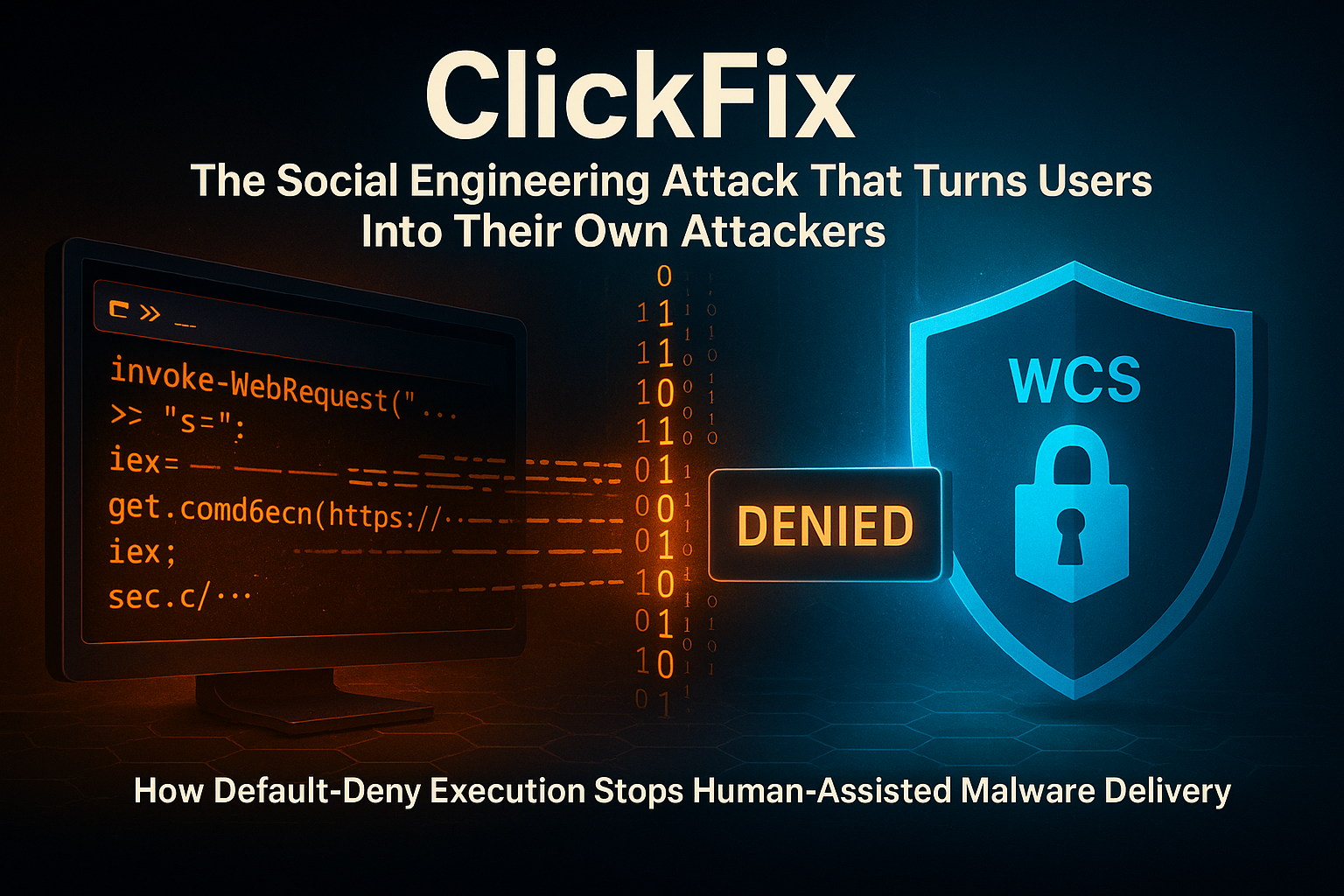
ClickFix: The Social Engineering Attack That Turns Users Into Their Own Attackers
Date: March 21, 2026
Executive Summary
- What it is: ClickFix is a social engineering technique that tricks users into copying and pasting malicious commands — into PowerShell, the Windows Run dialog, or a terminal — by disguising them as legitimate "fix it" instructions, fake CAPTCHAs, or browser recovery prompts.
- Why it matters: Microsoft reported that ClickFix accounted for 47% of attacks observed by Defender Experts — ahead of phishing at 35%. (Microsoft Security Blog) ESET reported a 517% surge in ClickFix attacks in the first half of 2025 alone. (ESET H1 2025 Threat Report)
- Who uses it: Both cybercriminal groups and nation-state actors — including North Korea's Kimsuky, Iran's MuddyWater, and Russia's APT28 — have adopted ClickFix as a reliable delivery mechanism.
- What to do: Enforce approved-only software execution. ClickFix depends entirely on being allowed to run something that was never authorized. A default-deny application control framework significantly limits the damage even when a user is deceived.
What Is a ClickFix Attack?
ClickFix is not a vulnerability in Windows or a flaw in any specific application. It is a social engineering technique — a method of tricking a human being into doing the attacker's work for them.
The attack presents the victim with a fake error message, a fake CAPTCHA, a fake browser recovery screen, or a fake software update prompt. The prompt then instructs the user to "fix" the problem by copying a command and pasting it into PowerShell, the Windows Run dialog, Command Prompt, or a terminal window — and pressing Enter.
The user, following what looks like official troubleshooting guidance, executes the malicious command themselves. At that moment, the attacker has achieved code execution without needing to exploit a software vulnerability or bypass a firewall.
MITRE ATT&CK catalogs this behavior as T1204.004 — User Execution: Malicious Copy and Paste. (MITRE ATT&CK)
🔍 How ClickFix Works
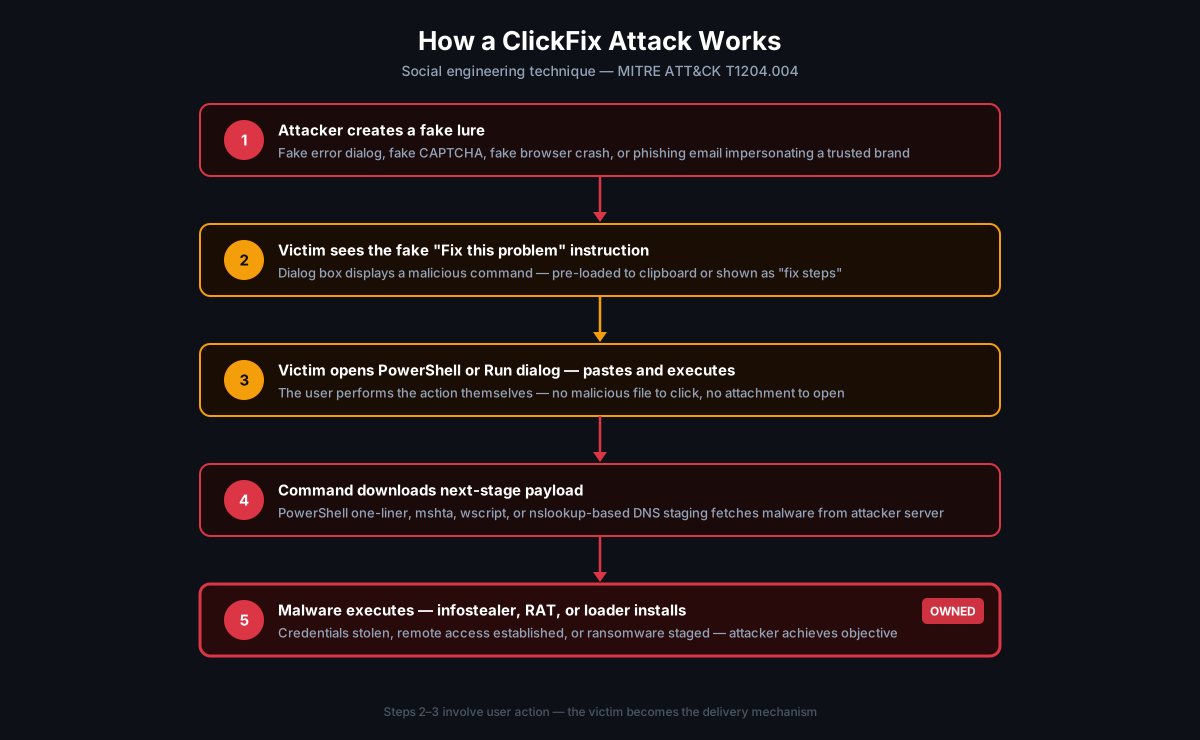
A typical ClickFix attack follows a predictable chain:
Step 1 — The Lure
The victim reaches a malicious page or receives a crafted message. Common lures include:
- A fake browser error ("This page encountered a problem — click here to fix it")
- A fake CAPTCHA verification step ("Complete this verification to continue")
- A phishing email impersonating a trusted brand (Microsoft, Booking.com, a government agency)
- A fake software update notification
- A fake "fix my microphone / camera / display" dialog in a fake video conference link
Microsoft documented a ClickFix campaign in early 2025 where threat actor Storm-1865 impersonated Booking.com, targeting hospitality organizations in North America, Europe, and the Asia-Pacific region, delivering a suite of credential-stealing malware including XWorm, Lumma Stealer, AsyncRAT, Danabot, and NetSupport RAT. (Microsoft Security Blog)
Step 2 — The Fake Instruction
A dialog box appears with text like:
"A critical error has been detected. To resolve this issue, press Windows + R, then paste the command below and press Enter."
The command is already pre-loaded into the clipboard, or the user is shown it in a visible text box that looks like legitimate system output.
Step 3 — Copy, Paste, Execute
The victim follows the instructions. They open PowerShell or the Run dialog, paste the command, and press Enter. From the operating system's perspective, this is a legitimate user action — the victim just ran a command as themselves.
Step 4 — Payload Delivery
The initial command is typically a downloader: a PowerShell one-liner, a mshta call, a wscript invocation, or an nslookup-based DNS staging trick that fetches the next-stage payload from an attacker-controlled server.
Step 5 — Follow-on Malware
The downloaded payload may be:
- An infostealer (Lumma Stealer, Rhadamanthys, Danabot) harvesting credentials, session cookies, and financial data
- A Remote Access Trojan (AsyncRAT, NetSupport, VenomRAT, ModeloRAT)
- A loader (DarkGate, Latrodectus) staging ransomware or further tools
- Persistent access via scheduled tasks, registry run keys, or alternate data streams
In January 2026, Microsoft documented a variant called CrashFix, which deliberately crashes the victim's browser and then presents recovery instructions that execute a portable Python environment — delivering a Python-based RAT via the native Windows finger.exe utility, which is rarely monitored. (Microsoft Security Blog — CrashFix)
🚨 Why ClickFix Is So Dangerous
ClickFix works because it turns the most trusted person in the security chain — the user — into the delivery vehicle.
It abuses trust in authoritative-looking messages. Fake error dialogs, fake CAPTCHAs, and impersonated brand communications are designed to look exactly like legitimate IT troubleshooting steps. Users who have been trained to "follow IT instructions" are particularly vulnerable.
It bypasses "don't click attachments" training. ClickFix doesn't require the user to open a file or click a suspicious attachment. The user is simply following what appears to be recovery or verification instructions. Traditional security awareness training doesn't address this vector well.
It leaves no malicious file on disk during the lure stage. The attacker's command arrives via clipboard — never written to disk as a file before the user executes it. Many endpoint agents scan files; clipboard content is harder to intercept.
It has been adopted across the threat spectrum. This is no longer a niche technique. State-sponsored groups including Kimsuky (North Korea), MuddyWater (Iran), APT28 and UNK_RemoteRogue (Russia) have all deployed ClickFix against government, defense, and think tank targets. (Proofpoint — State-Sponsored ClickFix)
⚠️ Why Traditional Defenses Can Struggle
Traditional endpoint security tools face real challenges with ClickFix:
- The user performs the action. Many security products focus on detecting malware behavior. ClickFix execution originates from a deliberate human action in a legitimate system utility.
- Payloads change rapidly. Threat actors rotate the actual payload URLs, scripts, and binaries frequently. Signature-based detection that catches today's payload may miss tomorrow's variant.
- Legitimate tools are abused. PowerShell,
mshta.exe,wscript.exe,finger.exe,nslookup.exe, andmsiexec.exeare all built into Windows. Blocking them entirely breaks legitimate IT operations. Detecting malicious uses through behavioral analysis alone is an arms race with a well-resourced opponent. - The social engineering stage precedes any malware. Email security gateways and web filters may never see the clipboard trick — the malicious "instruction" is displayed directly on the lure page, never passing through a scannable attachment or link.
🛡 How WCS Trust Lockdown Helps Stop ClickFix
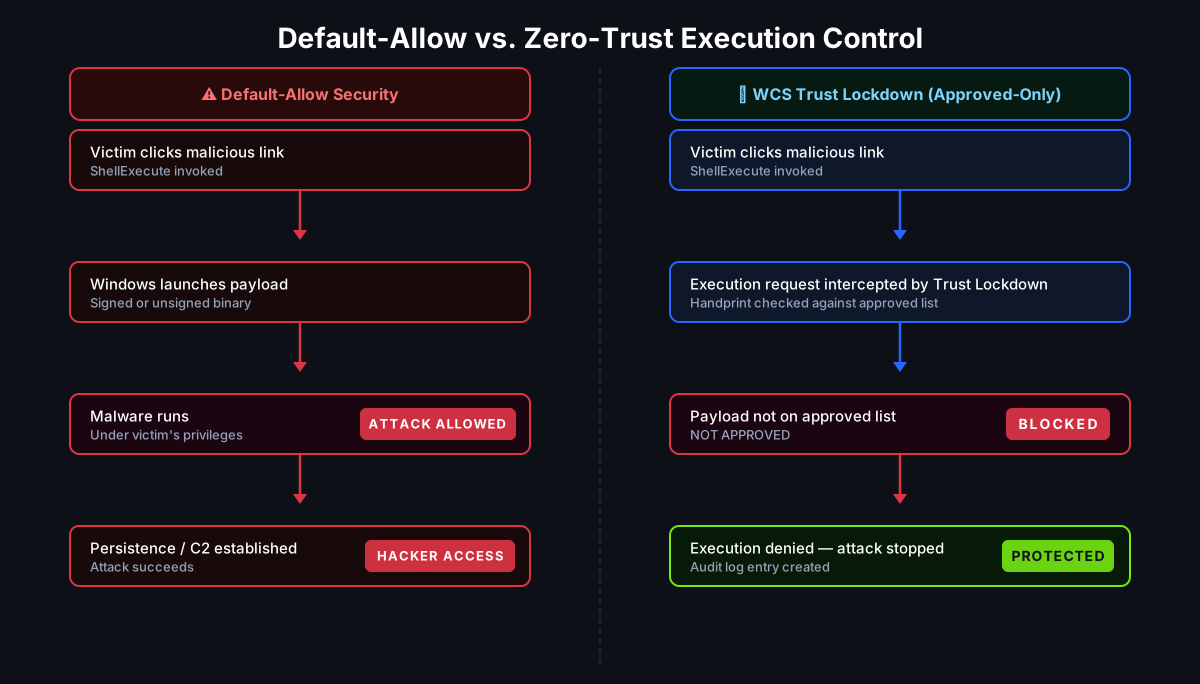
WCS Trust Lockdown addresses ClickFix at the stage that matters most: execution.
ClickFix depends entirely on being allowed to run something that was never approved. WCS enforces a default-deny / approved-only execution model — every executable, script, binary, and installer must be verified against an approved trust policy before it can run. This applies regardless of how the execution request arrived.
Unapproved executables and payloads are blocked
The downloaded payload — whether it is a renamed binary, a temp-folder dropper, a portable Python runtime, or an unknown executable — does not have an approved WCS handprint. WCS identifies every file via its 6-Factor Cyber-Metric Handprint (SHA-1, SHA-256, SHA-512, MD5, CRC32, and byte-length). If the file does not match an approved entry in the trust policy, execution is denied.
Unauthorized script execution can be restricted
Scripting engines — PowerShell, wscript.exe, mshta.exe, cscript.exe — are themselves approved software, but the scripts they execute may not be. Organizations using WCS can restrict which scripts and which script-launched child processes are permitted to run on each device class, reducing the ability of a pasted command to launch a meaningful payload chain.
Temp-folder and newly dropped payloads are blocked by policy
ClickFix payloads commonly land in %TEMP%, %APPDATA%, or other user-writable locations. WCS policies can restrict execution from these paths entirely, meaning even if the downloader successfully writes a file, it cannot execute from an unapproved location.
LOLBin and native tool abuse can be constrained
finger.exe, nslookup.exe, msiexec.exe, and similar built-in utilities can be scoped tightly. WCS policies can allow these tools for IT administration while restricting their use as general-purpose execution launchers, reducing attacker freedom to stage payloads through living-off-the-land techniques.
What WCS does not do: WCS cannot prevent a user from seeing a fake error message on a website. Social engineering happens in the browser, before any software execution occurs. WCS's value is at the execution stage — controlling what the resulting software activity is actually permitted to do.
At White Cloud Security, we continue to track and report new hacking methods and tools — not just because of their immediate threat, but because patterns of reuse often expose the playbooks of these cybercriminal groups.
📋 Least Privilege Matters Here
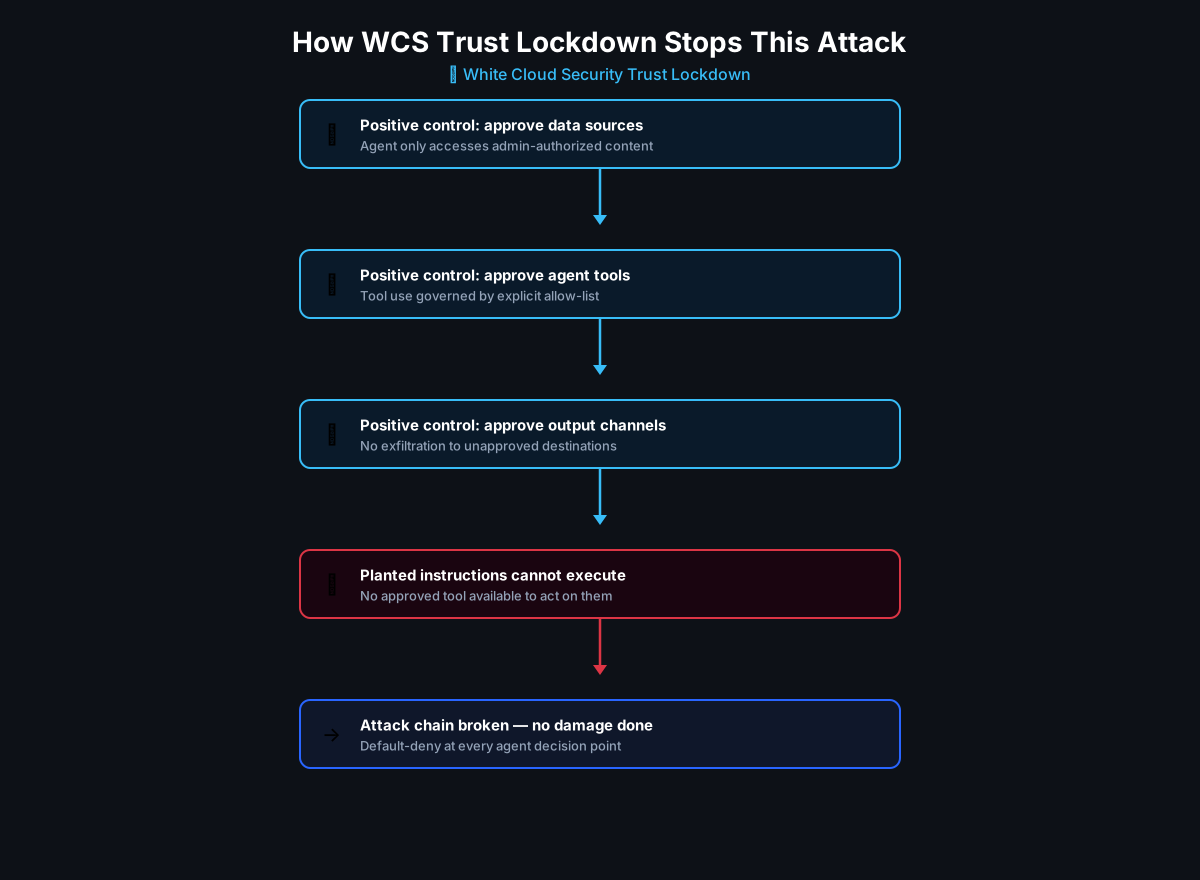
ClickFix is a textbook example of why least privilege must extend beyond user account permissions to cover software execution rights.
A user with standard account privileges can still run PowerShell. A user with local admin rights can run even more. Traditional least privilege limits what data and systems an account can access — but it does not automatically control which software that account is allowed to execute.
WCS separates user privilege from software execution rights. Even if a user has administrator access, a payload that has not been approved in the WCS trust policy cannot run. This extra layer of control — least privilege at the software level, not just the identity level — is what limits the blast radius when social engineering succeeds.
The Stryker wiper attack is a stark recent example of the same principle applied to administrative tooling: access to a privileged account is not sufficient on its own if what the attacker tries to run isn't approved to execute.
📈 Real-World Trend
ClickFix is no longer an emerging threat. It was one of the most significant initial access techniques observed in 2025, and it continues to evolve in 2026:
- Microsoft Security Blog (2025): Microsoft reported that ClickFix accounted for 47% of attacks observed by Defender Experts — ahead of traditional phishing at 35%. (Microsoft Security Blog)
- ESET H1 2025 Threat Report: ESET reported a 517% surge in ClickFix attacks in six months, representing 8% of all blocked threats.
- MITRE ATT&CK T1204.004: Formally cataloged as User Execution: Malicious Copy and Paste, now a documented sub-technique. (MITRE ATT&CK)
- Proofpoint: Documented ClickFix campaigns from at least four nation-state actors — North Korea, Iran, and two Russian-attributed groups — targeting government, defense, and think tank organizations in early 2025. (Proofpoint — State-Sponsored ClickFix)
- CrashFix (January 2026): A Microsoft-documented evolution that deliberately crashes browsers to create urgency, then delivers a portable Python RAT via
finger.exestaging. (Microsoft Security Blog — CrashFix)
Final Takeaway
The security industry has spent decades building perimeter defenses, email filters, and behavioral detectors. ClickFix illustrates why those controls alone are not enough: when an attacker can turn the user into the delivery mechanism, the attack happens before the malware stage begins.
The most resilient response is to control what software is allowed to execute — not just who is allowed to log in.
Organizations that enforce approved-only software execution shift the question from "did we detect this payload?" to "was this execution authorized in the first place?" For ClickFix-style attacks, the answer is no under an approved-only policy — because no legitimate IT process requires a user to paste a command into PowerShell in response to a web page prompt.
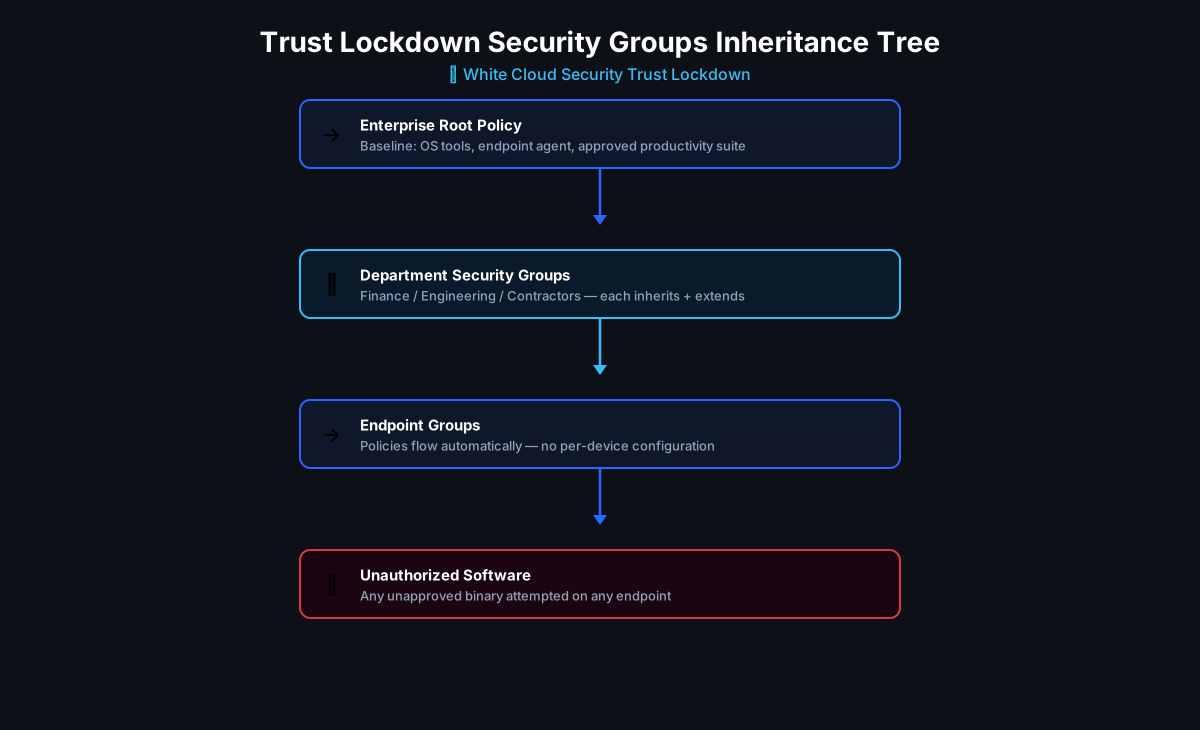
White Cloud Security Trust Lockdown enforces exactly this model: default-deny, approved-only execution, verified by handprint identity, applied consistently from enterprise root policy down to every endpoint. When the user's pasted command attempts to run its next-stage payload, the execution is blocked before any damage occurs.
Ready to see how approved-only software control protects against human-assisted malware delivery? Learn how WCS Trust Lockdown works.
Key Takeaways
- ClickFix is a social engineering technique (MITRE T1204.004) that tricks users into pasting malicious commands into PowerShell, Run, or Command Prompt — bypassing file-based detection entirely.
- It was one of the most widely reported initial access techniques of 2025, used by cybercriminals and nation-state actors alike.
- Variants like CrashFix (Jan 2026) crash browsers to create urgency and deliver Python RATs via built-in Windows tools.
- Traditional defenses struggle because the user performs the action using legitimate system utilities.
- WCS Trust Lockdown blocks the execution stage: if the payload, dropper, or script is not in the approved trust policy, it cannot run — regardless of how it was delivered.
- Least privilege must cover software execution rights, not just account permissions.
References
- Think before you Click(Fix): Analyzing the ClickFix social engineering technique — Microsoft Security Blog
- Phishing campaign impersonates Booking.com, delivers a suite of credential-stealing malware — Microsoft Security Blog
- ClickFix variant 'CrashFix' deploying Python RAT trojan — Microsoft Security Blog
- User Execution: Malicious Copy and Paste, Sub-technique T1204.004 — MITRE ATT&CK
- Security Brief: ClickFix Social Engineering Technique Floods Threat Landscape — Proofpoint
- Around the World in 90 Days: State-Sponsored Actors Try ClickFix — Proofpoint
Further Reading
- Stryker, Shamoon, and the Case for Zero-Trust Least Privilege Software Control
- Least Privilege at Scale: How the Trust Lockdown Inheritance Tree Simplifies Zero-Trust
- Phishing via Trusted SaaS Domains: When @zendesk.com Isn't Safe
- The Mincemeat Attack: Hidden Instructions, Trusted Content, and AI Deception